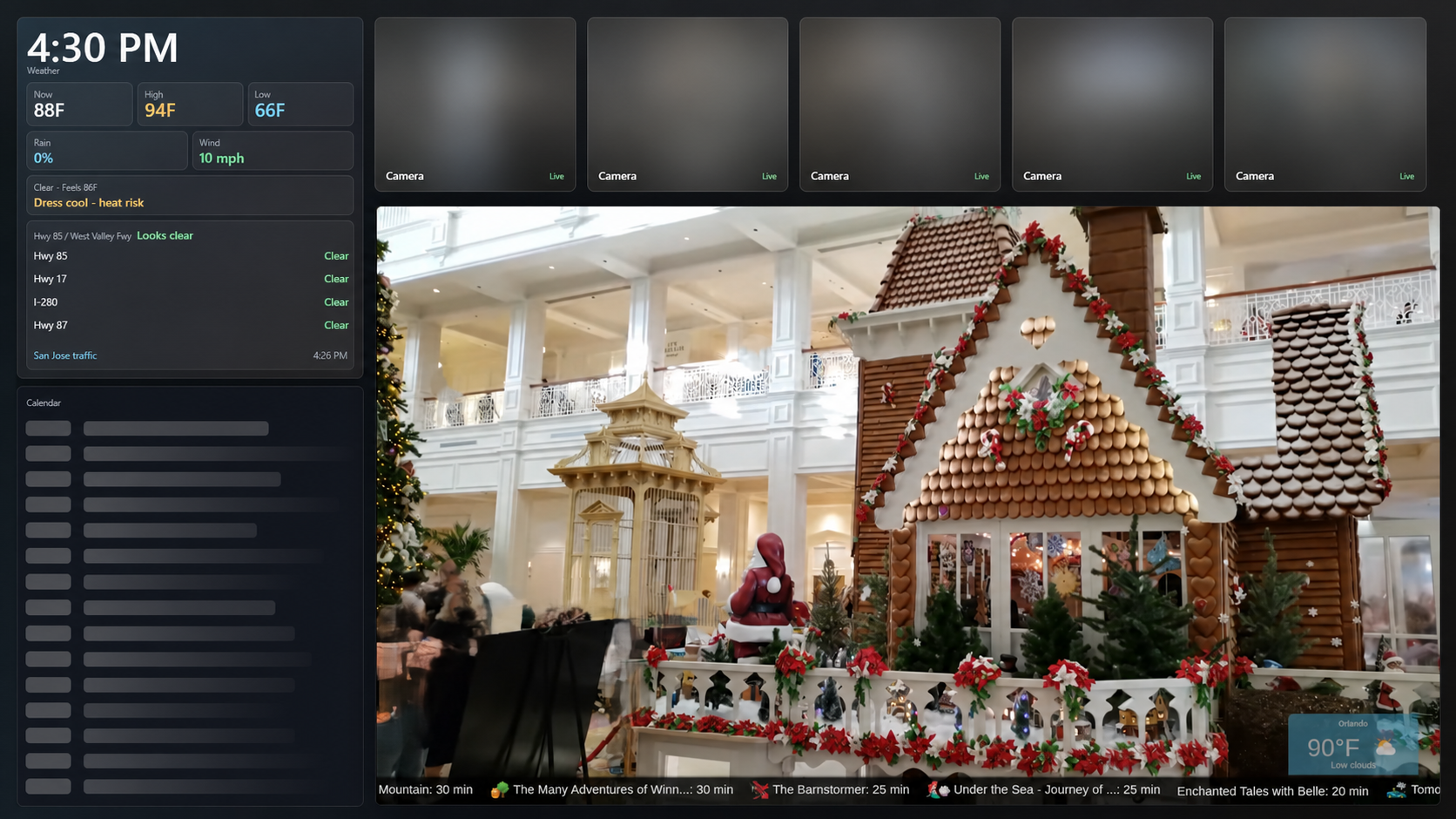
ClosetCast / Electron, Node.js, RTSP, FFmpeg, and PowerShell
I repurposed older Windows hardware into a display for cameras, calendars, weather, and media. Then I had to make sure one dead stream or API did not take the whole thing with it.
ClosetCast started because I had older Windows hardware and wanted a useful information display instead of another retired computer in a closet. A one-screen demo was easy. A kiosk that could run without constant babysitting was not.
I had to decide when dashboard information should yield to media, how camera layouts should change, what stays visible during a partial failure, and when the system should retry instead of quietly pretending everything is fine.
Contribution boundary
I designed, built, configured, and operate the application. Camera hardware, Apple Calendar, Open-Meteo, media sources, and sports data remain external dependencies.
Current versionSensitive camera and personal details intentionally blurred
02 / System
Keep the stack boring and the boundaries clear
The stack is deliberately plain: Electron, HTML, CSS, JavaScript, JSON configuration, FFmpeg, and a few focused Node modules. Old hardware is not the place to get clever for sport.
01Private runtime configuration
RTSP endpoints, feed URLs, feature flags, and local paths remain outside git; public examples use synthetic placeholders.
02Independent services
Stream bridging, calendar, weather, media, and mode services fail separately.
03Kiosk renderer
The interface coordinates layouts while keeping unavailable services visible but contained.
Data boundary
Credentials, calendar feeds, locations, source labels, logs, and machine-specific paths are deployment data—not portfolio content.
03 / Capabilities
What the kiosk actually coordinates
Bridge several RTSP camera feeds through FFmpeg and arrange them in focus, split, grid, or primary-feed layouts.
Switch display modes to change information density, layout, and media behavior.
Show weather, calendar, local media, and configured web media—with an explicit unavailable state when a source fails.
Prepare media for an event, give it the screen at the configured time, and return control to the dashboard afterward.
Start and recover through supervised Windows automation on the target machine.
Use local logs and an isolated test profile to troubleshoot without real deployment data or disruptive kiosk behavior.
04 / Verification
Recovery is part of the interface
Feeds reconnect
Exited RTSP processes wait and retry while the affected tile remains visible.
Data degrades safely
Cached data and explicit unavailable states keep failed integrations from taking down the display.
Failures stay isolated
A broken stream, media source, or external lookup does not collapse the rest of the kiosk.
Tests avoid side effects
The isolated profile disables disruptive display and operating-system behavior while replacing private configuration with fixtures.
05 / Result
It runs, fails visibly, and recovers
ClosetCast now runs on its target machine. If a camera process exits, it waits and reconnects. If an external data source fails, the rest of the display stays up and shows that the source is unavailable.
AI helped me generate and modify code faster. It did not decide the architecture, security boundaries, failure behavior, or which features belonged on the screen. Those choices were the difference between a useful kiosk and a pile of integrations.